
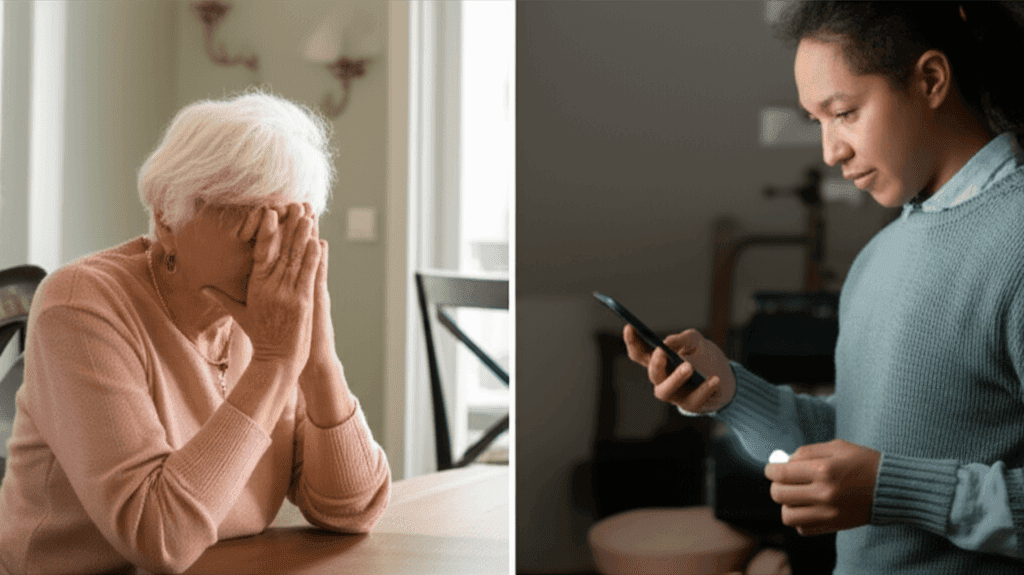
Keeping family safe from far away feels tough for lots of people. When someone important lives miles away, having a good system can save time when quick help is needed. Being far doesn’t mean missing out on emergency alerts for those who matter most. Creating an easy, smart plan that fits everyone’s needs brings peace and keeps everyone linked, no matter the distance. Learning how to do this might save crucial seconds when every second counts. This matters most to anyone wanting to protect loved ones across cities and states.
Think of emergency alerts as a layer of protection that connects geography with human care. The goal is not to replace direct visits or phone calls but to create a reliable signal that something needs attention. Below you will find clear options, setup tips, real life examples, and a checklist to put plans into action quickly.
Why Distance Doesnt Mean Disconnected Emergency Alerts for Loved Ones Is Important
Far too often families assume they will receive a call if something goes wrong. That assumption fails when the person who needs help is confused, injured, or unable to reach a phone. Emergency alert systems bridge that gap and reduce the time between an incident and a response. For older adults living alone the risk of falls and sudden illness increases with age. A system that instantly notifies a contact list or monitoring center shortens response time and can reduce lasting harm.
Beyond safety alerts these systems provide emotional value. Knowing that a parent has a wearable button or a monitored device can reduce anxiety for family members who live far away. Regular check in features and activity logs offer simple reassurance without becoming intrusive. In short safety devices extend presence without replacing visits.
Types of Emergency Alert Devices and How They Work
Not every product works the same way. Choosing the right device requires matching daily habits with the device form factor and features. Below are common categories and their practical strengths.
Wearable Devices
Wearables include pendants, wristbands, and smartwatch style units. They are useful when a person is mobile around the house or going for short walks. Most send a signal via cellular or a connected base station. The best units have fall detection turned on so a call can trigger even when the wearer is unconscious. Expect battery life anywhere from a few days to a month depending on model and usage.
Home Base and In Home Systems
These systems use a central hub that connects to landline or cell networks. They are reliable inside the home and often include multiple sensors. Common add ons include door sensors, motion detectors, and smoke monitors. Home base systems work well for people who rarely leave the house but want 24 hour coverage within their home footprint.
Key Features to Look For When Choosing Alerts for Seniors
Picking a device is about fitting features to real needs. Below are features that matter most in practical use.
- Automatic fall detection that alerts even without a manual button press
- Reliable connectivity using cellular networks when a home phone is not an option
- Battery life and charging ease so the user does not need frequent maintenance
- Two way communication allowing responders to speak with the user through the device
- Location tracking for those who travel or have memory issues that cause wandering
- Customizable contact lists so family members and local responders can be reached in order
When comparing options try a simple checklist on paper for daily routines, mobility, and tech comfort. Match the top three features to the likely scenarios you want covered. A lightweight pendant with long battery life may be better than a feature rich smartwatch if charging is likely to be forgotten.
Setting Up Emergency Alerts for Seniors Remotely
Installation and configuration are often easier than relatives expect. Many companies ship pre paired devices and provide phone support for setup. A remote setup plan should include a few key steps to make it effective quickly.
First collect emergency contact names and phone numbers and decide the notification order. Next set the device to test mode and run through a simulated alert so all contacts know how the call or text will look. Finally place the device where it will be most useful. For wearable units that is simply on the body. For home base units it is usually in the living area near common activity.
For clinical guidance on device selection and how to integrate medical needs with monitoring services consult medical experts and clinical reviews such as this resource Find a Top Doc which explains common recommendations clinicians make when advising families.
Tips for Remote Troubleshooting
- Schedule a monthly remote check in to verify battery levels and test alerts
- Ask the user how the device feels during daily activities to catch comfort issues
- Keep a spare charger and place it in a known location
Best Practices for Family Communication and Response Plans
Technology is only one part of a safety plan. Clear roles and rehearsal improve outcomes. Designate primary and backup responders. The primary might be the nearest neighbor or an adult child who can arrive quickly. Backup responders are those who will contact the wider family and local services if needed.
Create a short written plan that includes where key items are stored spare keys medication lists and the primary care physician contact information. Store a photo ID and medical alert card in the wallet. Share that plan with everyone on the contact list and use cloud storage for easy access from any location.
Practice scenarios. A monthly tabletop exercise that runs through an alert call can highlight delays and fix them. Ask questions like who will go check the front door who calls the primary care office and who takes responsibility for transportation. These low stress rehearsals build confidence and reduce confusion during real events.
Cost Considerations and Insurance Options
Prices vary by contract type device and service level. Monthly monitoring fees can range from minimal to higher priced options with around the clock human monitoring. One time purchase models exist but may require a separate cellular subscription. Look at total cost over a year and weigh that against the likelihood of needing emergency response.
Some long term care insurance policies and veterans benefits provide partial coverage for alert devices. It is worth asking a benefits office about eligible programs. Also check for community based programs offered by senior centers that provide low cost or loaned equipment for people with limited budgets.
When evaluating price keep in mind the indirect value of faster response. Shorter emergency times can lead to reduced hospital stays and fewer complications which may offset device costs for many families.
Real Life Examples and What Works in Practice
Example one: A woman in her eighties living alone had no phone by her bed. She fell at night and could not reach a standard phone. Her pendant with fall detection called a monitoring center within minutes and a neighbor arrived before emergency services. The quick check prevented a long lie time on the floor which reduced the risk of developing pressure injuries or dehydration.
Example two: An older man who still walks the neighborhood used a device with GPS and geofencing. When he wandered beyond a safe radius family members received text alerts and were able to call him back. That simple notification avoided multiple stressful phone calls and led to an earlier gentle return home.
Lessons from these cases include choosing the right device for daily habits and testing the system under realistic conditions. Small details like wearing the pendant to bed or keeping the hub in the main living area make a big difference.
Checklist to Put Your Plan in Place Today
- Decide which scenarios you want covered falls medical events or wandering
- Select a device that fits the user lifestyle and has required features
- Compile contact lists and medical information in one accessible file
- Test alerts with all contacts and perform a weekly or monthly check
- Create a rehearsed response plan with assigned roles
- Review insurance or benefit options for financial support
Taking small steps now will reduce stress later. Start with a single device trial period and expand coverage if it suits daily life. In many cases families start with a wearable that has fall detection then add home sensors if the person spends more time inside.
Conclusion
Having a clear plan for emergency alerts shows that distance does not have to equal disconnection. The right mix of device features setup practices and family coordination will produce a system that responds quickly and reduces uncertainty. Focus on practical items such as battery life comfort and realistic testing. Create a short written response plan share it with contacts and rehearse it periodically to keep the plan fresh.
If you are starting from zero pick one small step today. Order a simple device with a trial period or contact a local senior services office to learn about loaner programs. Talk with the person you care for about preferences and include them in decisions. Regular check ins combined with a reliable alert device will make a measurable difference in safety and daily life.
Ready to take action review the checklist choose a device and set up a test alert this week. If you would like medical perspective on alerts and device selection consult clinical reviews and physician recommendations to match medical needs with monitoring choices. A few minutes of planning now can save hours of worry and provide a clearer path to timely help when it matters most.